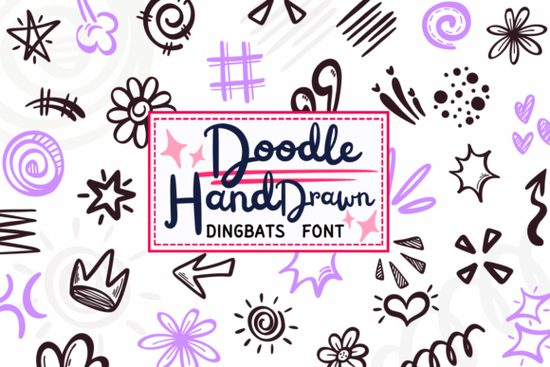
If you’ve ever wished you could add hand-drawn decorative elements to your designs without switching between illustration software and your text editor, the Doodle Hand Drawn Font might be exactly what you need. This dingbat font turns every letter (A–Z) and number (0–9) into a playful, sketch-style doodle so typing “A” gives you a star, “B” might give you a flower, and so on. It’s especially handy for designers, crafters, and small business owners who want to keep their workflow simple while adding personality to projects like planners, stickers, social media graphics, or printable journals.
Unlike traditional fonts that focus on readability, this one is built for visual charm. Each glyph looks like it was quickly sketched with a marker slightly uneven lines, soft curves, and all the warmth of something made by hand. You’ll find everything from sparkles and stars to zig-zag arrows, hearts, crowns, and even comic-style emphasis lines. Because they’re mapped to standard keyboard characters, you can layer them easily over photos, weave them into borders, or scatter them as accents all without importing separate PNGs or SVGs.
What kinds of projects work well with this font?
The Doodle Hand Drawn Font shines in any project where a touch of whimsy or handmade character adds value. Here are a few real-world uses:
- Planner and journal embellishments – Add tiny flowers or stars next to to-do list items or habit trackers.
- Print-on-demand products – Use the doodles as corner accents on mugs, notebooks, or T-shirts for a friendly, approachable look.
- Social media posts – Frame quotes with squiggly lines or sprinkle hearts around text for Instagram stories.
- DIY crafts and scrapbooking – Print out sheets of doodles to cut and glue, or use them digitally in layered layouts.
- Children’s activity sheets – The playful style works well for coloring pages, reward charts, or educational printables.
Because the elements are vector-based (when used in compatible software), they scale cleanly for both small stickers and large posters. And since they’re delivered as a standard font file (.OTF or .TTF), installation is straightforward just like any other typeface.
How is this different from clip art or icon packs?
Most clip art collections require you to browse folders, drag individual files into your design, and resize or recolor each one separately. With a dingbat font like this, everything lives in your font menu. Want to change a sun doodle to a crown? Just press a different key. Need ten stars in a row? Type “AAAAA.” It’s faster, more flexible, and integrates seamlessly with text-based workflows in Canva, Adobe Illustrator, Affinity Designer, or even Microsoft Word.
You can also combine it with other fonts for layered effects. Try placing a bold sans-serif headline over a background filled with subtle scribbles or dots from the Doodle Hand Drawn set. Or use the decorative arrows to point to call-to-action buttons in digital flyers.
For more options in this style, check out the full collection of dingbat fonts that offer similar hand-sketched versatility.
Is it beginner-friendly?
Absolutely. If you know how to change a font in your design app, you can use this. No need to understand layers, masks, or vector paths. Just select the font, type, and adjust size or color as needed. Many users appreciate that it feels “imperfect” on purpose the slight wobbles and variations mimic real handwriting, which helps avoid the sterile look of overly polished graphics.
One tip: since each character maps to a specific doodle, it helps to open the font’s character map (available in most design programs) to see which key produces which symbol. Some versions include a PDF guide showing the layout, so you’re not guessing whether “M” is a heart or a spiral.
If you're exploring similar tools, you might also like the Doodle Hand Drawn Font on Creative Fabrica, where you can preview glyphs and read user reviews before downloading.
Quick checklist before you start
- ✅ Install the font on your system or design app first.
- ✅ Open the character map or glyph panel to see all available doodles.
- ✅ Pair it with clean, simple fonts to avoid visual clutter.
- ✅ Use consistent colors try black, navy, or earthy tones for a natural sketch feel.
- ✅ Remember: this is a decorative font, not for body text. Use it for accents only.
Whether you’re making printable wall art, custom stickers, or just jazzing up your weekly planner, this font gives you instant access to a cohesive set of hand-drawn elements without the hassle of sourcing or aligning dozens of separate graphics.
Explore Design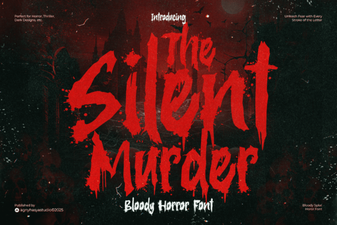 Designing with the Silent Murder Font
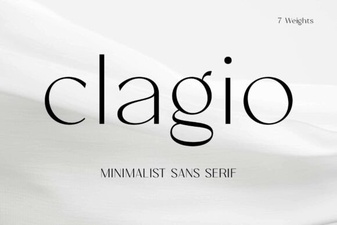 Clagio Font: a Modern Tool for Creative Projects
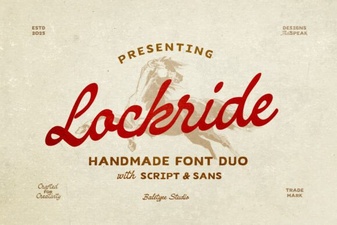 Lockride Font for Modern Digital Interfaces
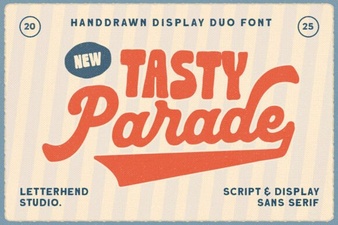 A Perfect Pair for Food Bloggers & Recipes
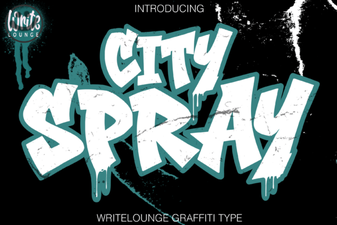 The City Spray Font for Urban Art & Design Projects
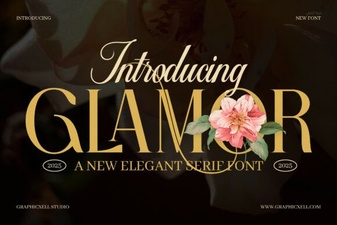 Glamor Font Design Tips for Your Projects